Dead spot? Keep driving.
Ticked-off stops stay saved on the phone, even after a restart. As soon as there is signal again, everything reaches the restaurant, in the right order and nothing twice.
Eatbase Fahrer, our driver app, puts every delivery on your drivers’ phones: the best order of stops, navigation with one tap and the amount in large type. And your guest sees when their food is coming.
 Eatbase FahrerFree for your drivers

Six steps, all on the driver’s phone.
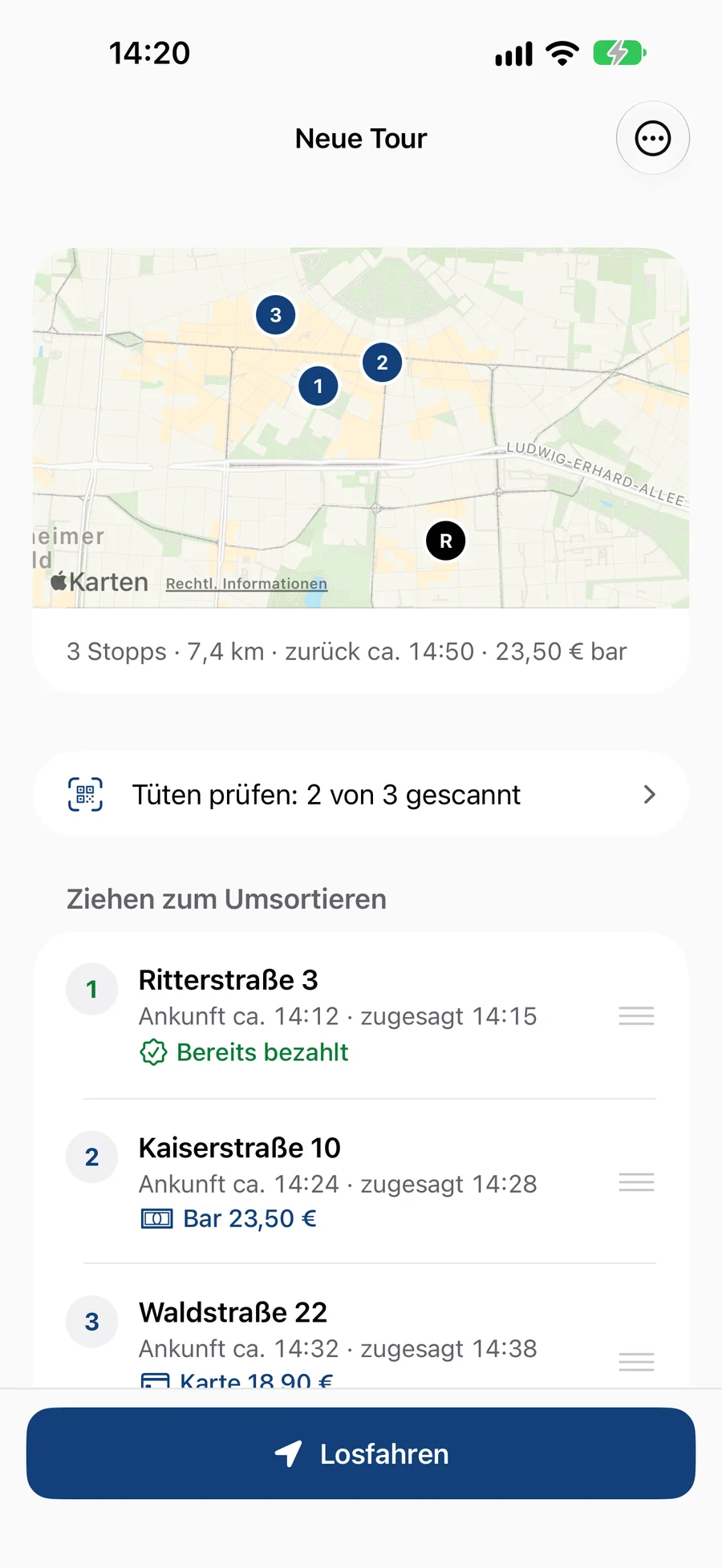
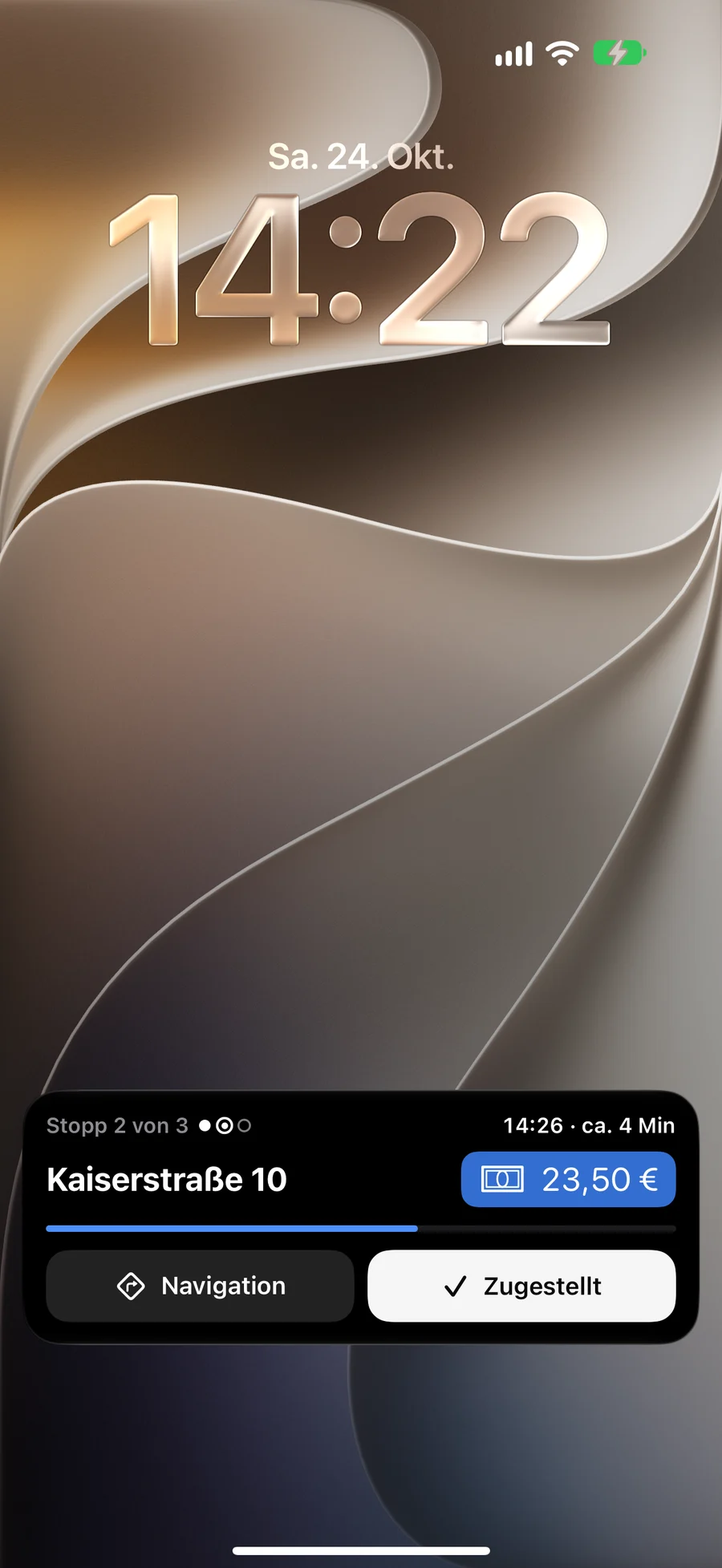
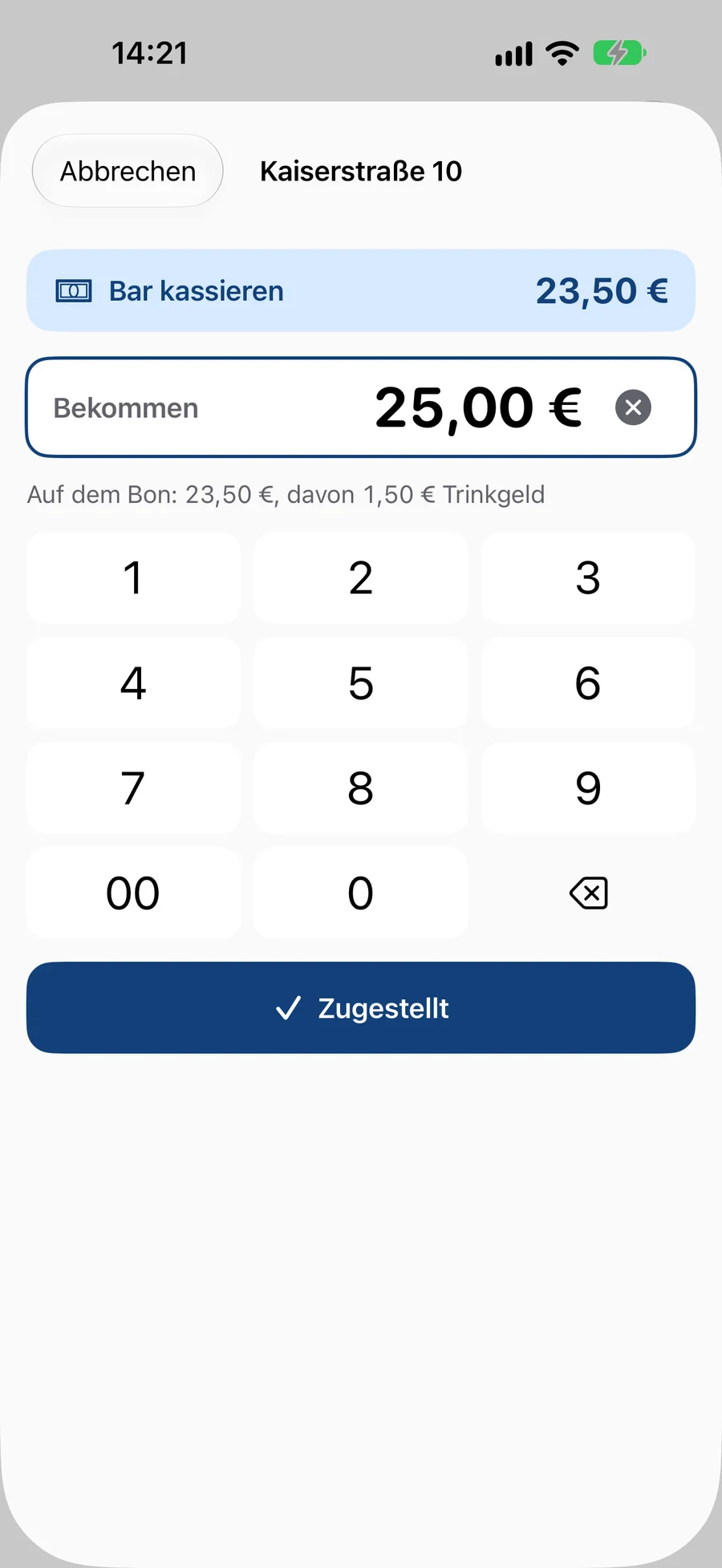
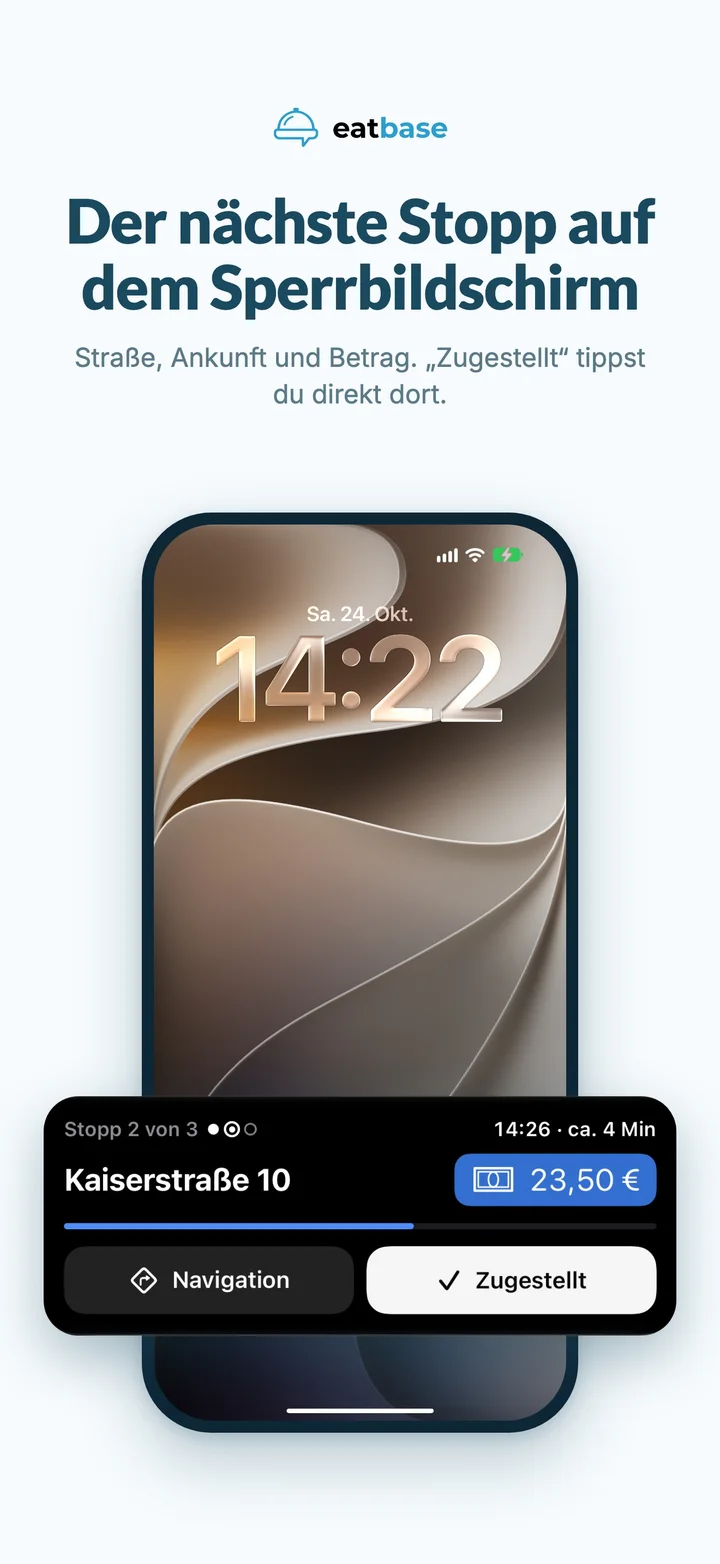
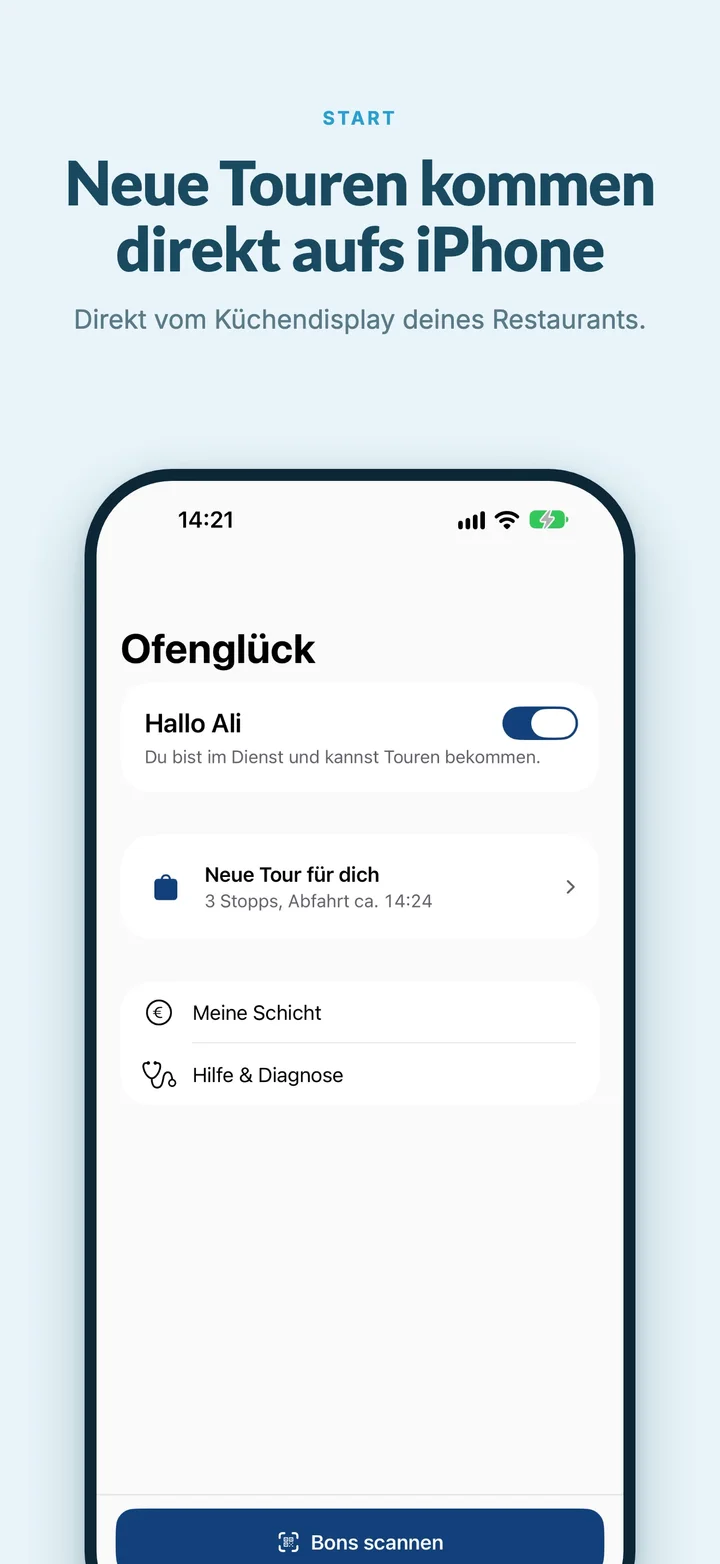
On the iPhone, the next stop appears on the lock screen and in the Dynamic Island: street, arrival time and what to collect. The driver taps “Delivered” right there, and then navigation to the next stop starts by itself. On Android, a small bubble over Google Maps or Waze does the same job.
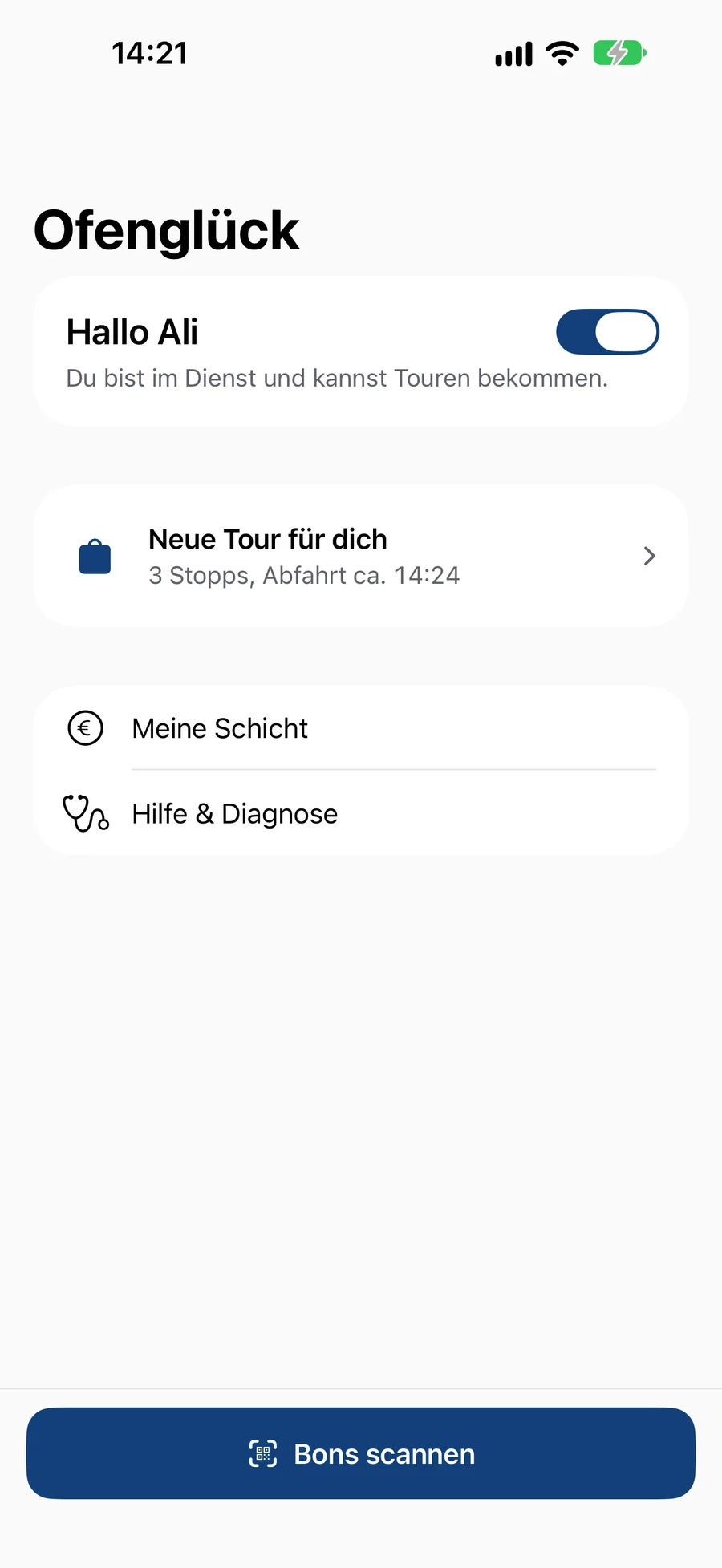
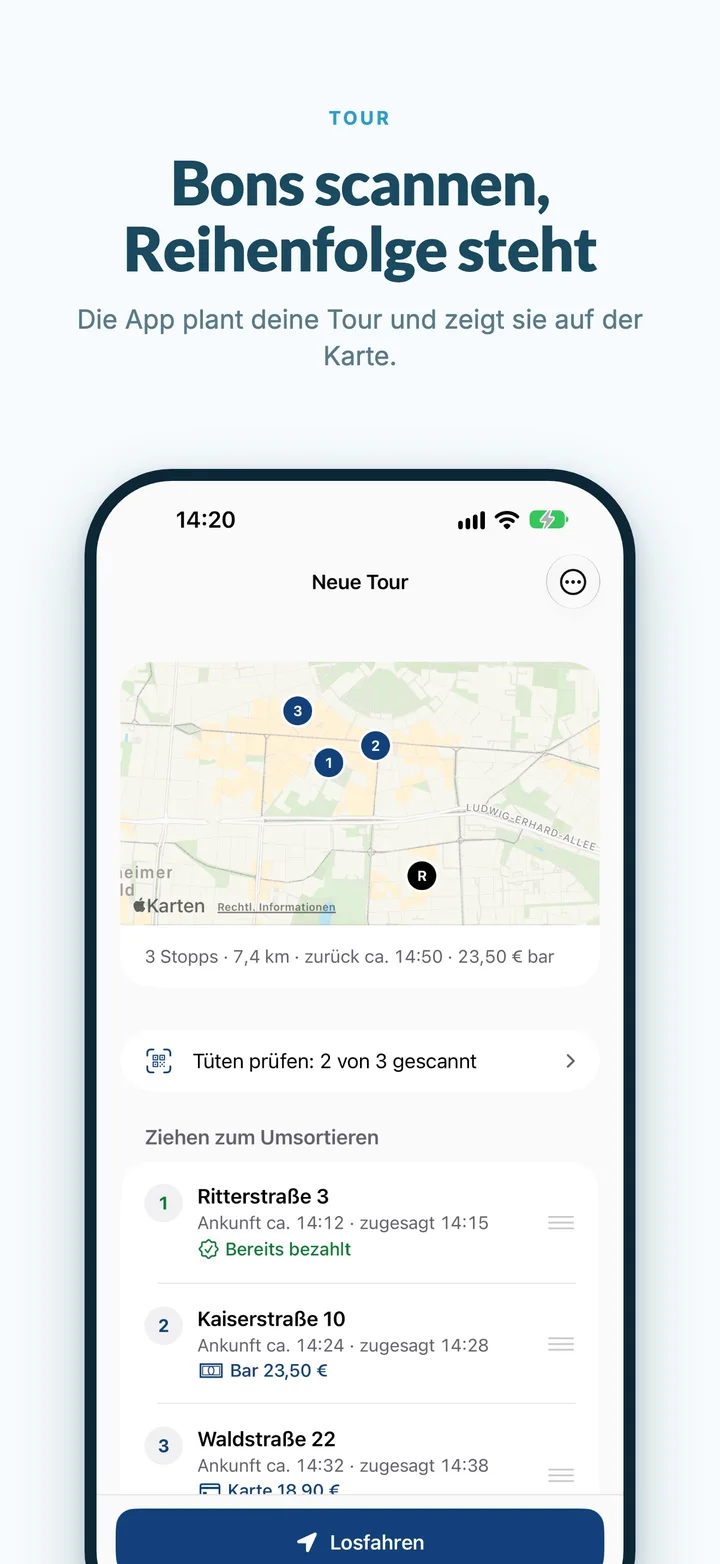
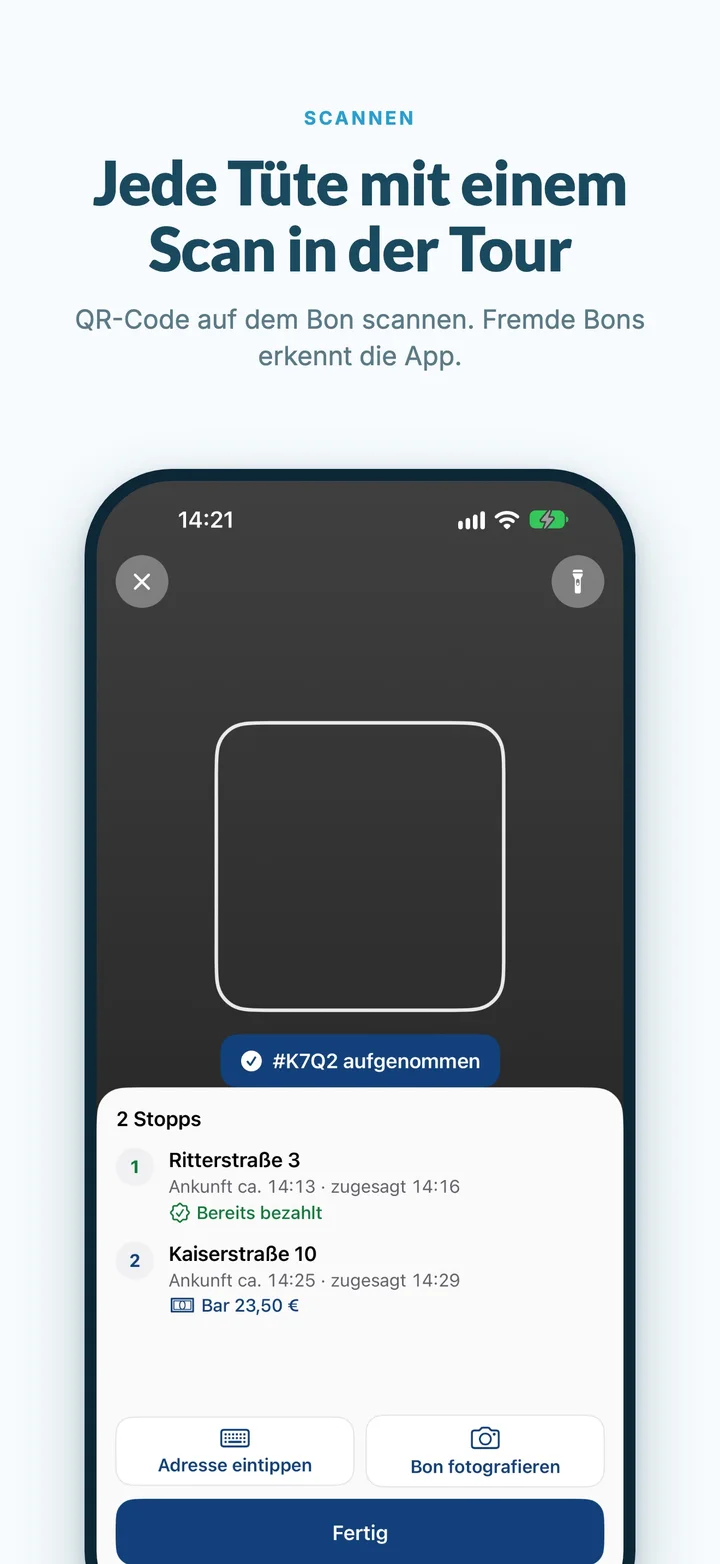
The driver holds the camera over the receipt on each bag. The order lands in the run straight away, with the address and the amount to collect. The app works out the order in which as many deliveries as possible arrive on time.
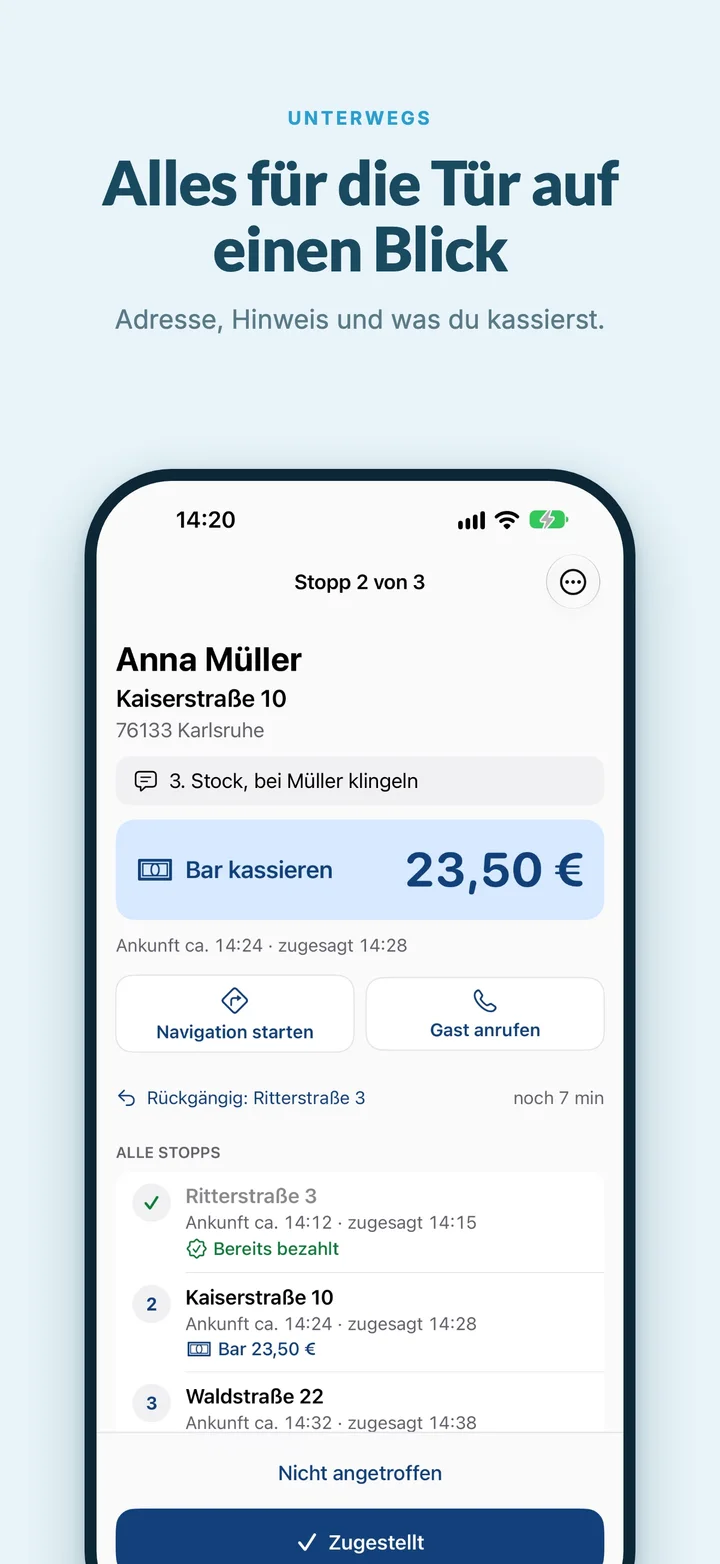
Address, doorbell note and amount large and in colour. The driver doesn’t have to search for anything or do any maths.
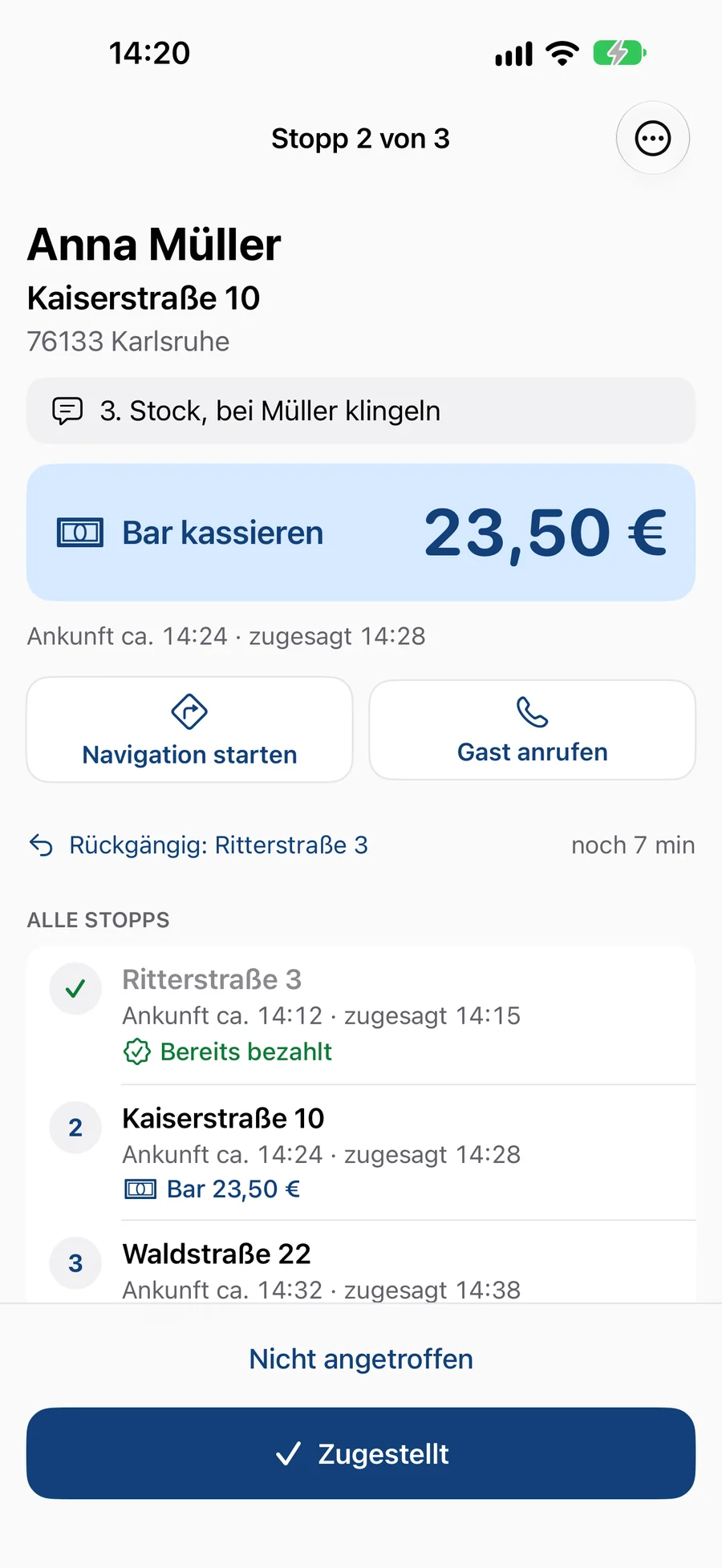
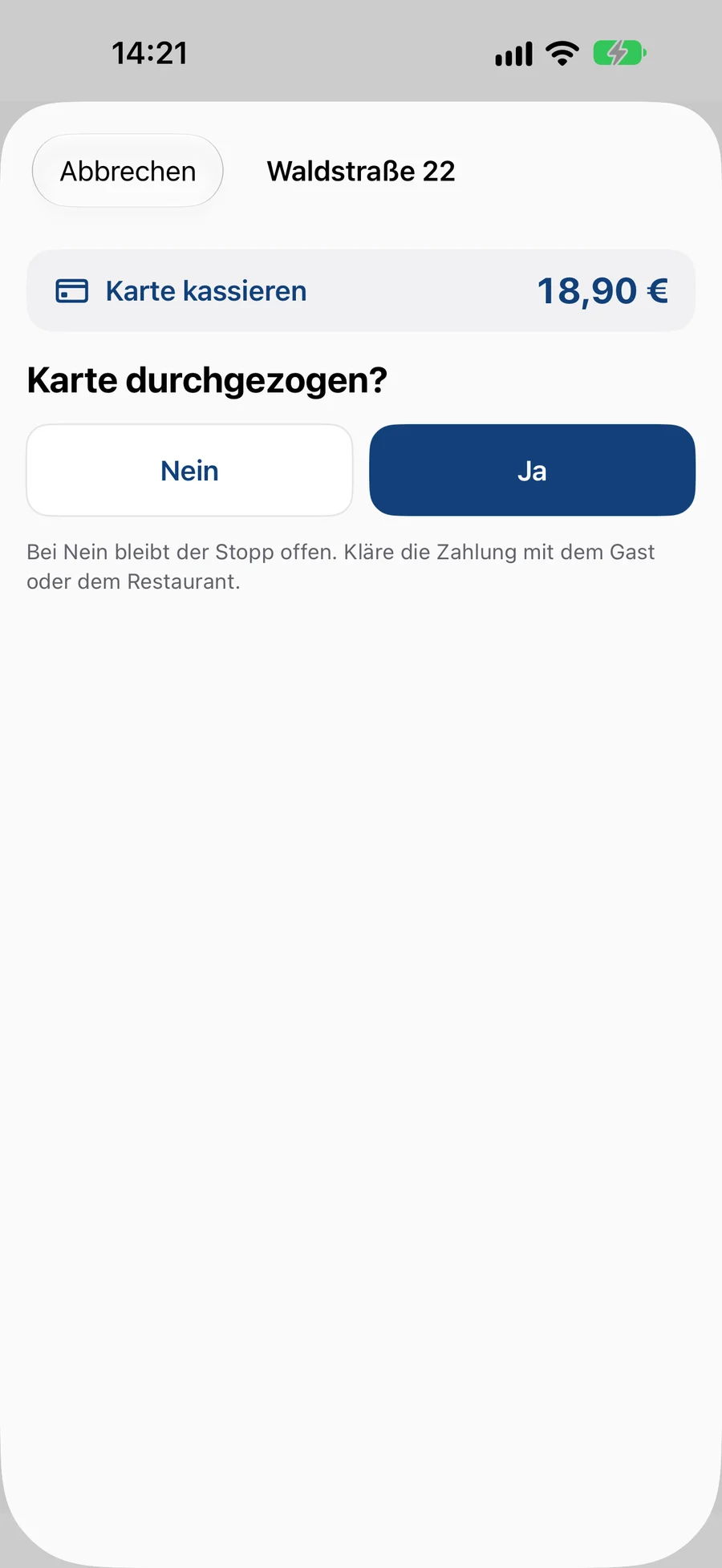
Dead spots, wrong buttons, full hands. The app is ready for it.
Ticked-off stops stay saved on the phone, even after a restart. As soon as there is signal again, everything reaches the restaurant, in the right order and nothing twice.
A wrong tap happens. For ten minutes the driver can reopen any stop.
When the driver gets back to the restaurant, the run ends by itself. They can take the next bag.
On the kitchen display you see who is on duty. With “Dispatch”, eatbase suggests which orders a free driver should take.
The run goes straight to a driver on duty. They hear a sound, check the bags by scanning and set off. If a bag is missing, the app shows it.
During a run you see where the driver is right now and which stop is next. No call, no “Where are you?”.
Cash, card, online, tips and guests who weren’t home are ready for each driver and day and can be marked as settled, in the admin area or on the tablet in the end-of-day report with “Money received”.
It works from day one without you having to set anything up. If you want, you decide the maximum number of stops per run, what drivers may do themselves and what guests see.
Their order status page shows how many stops are still ahead of them. When they are next, they see the driver on a map, along with an arrival time that is recalculated all the time.
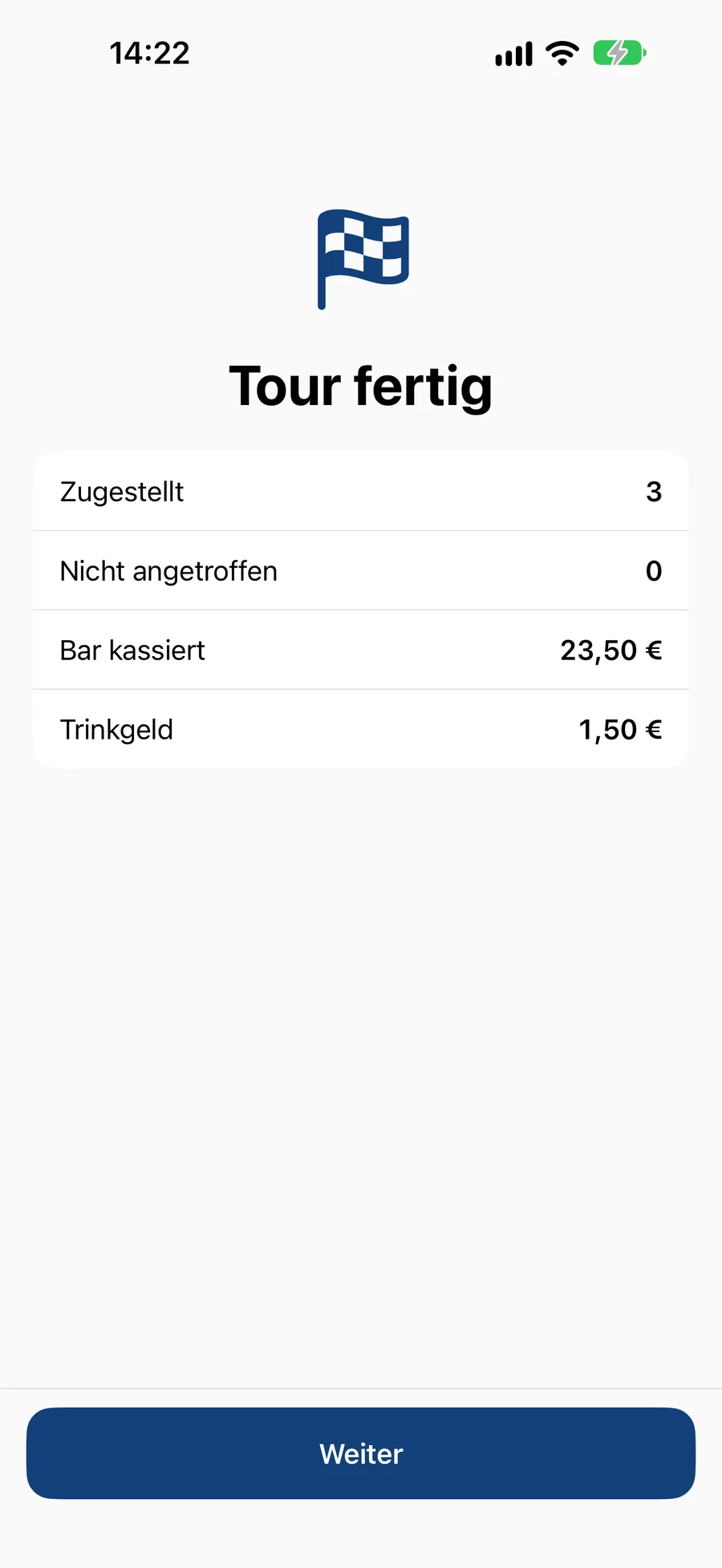
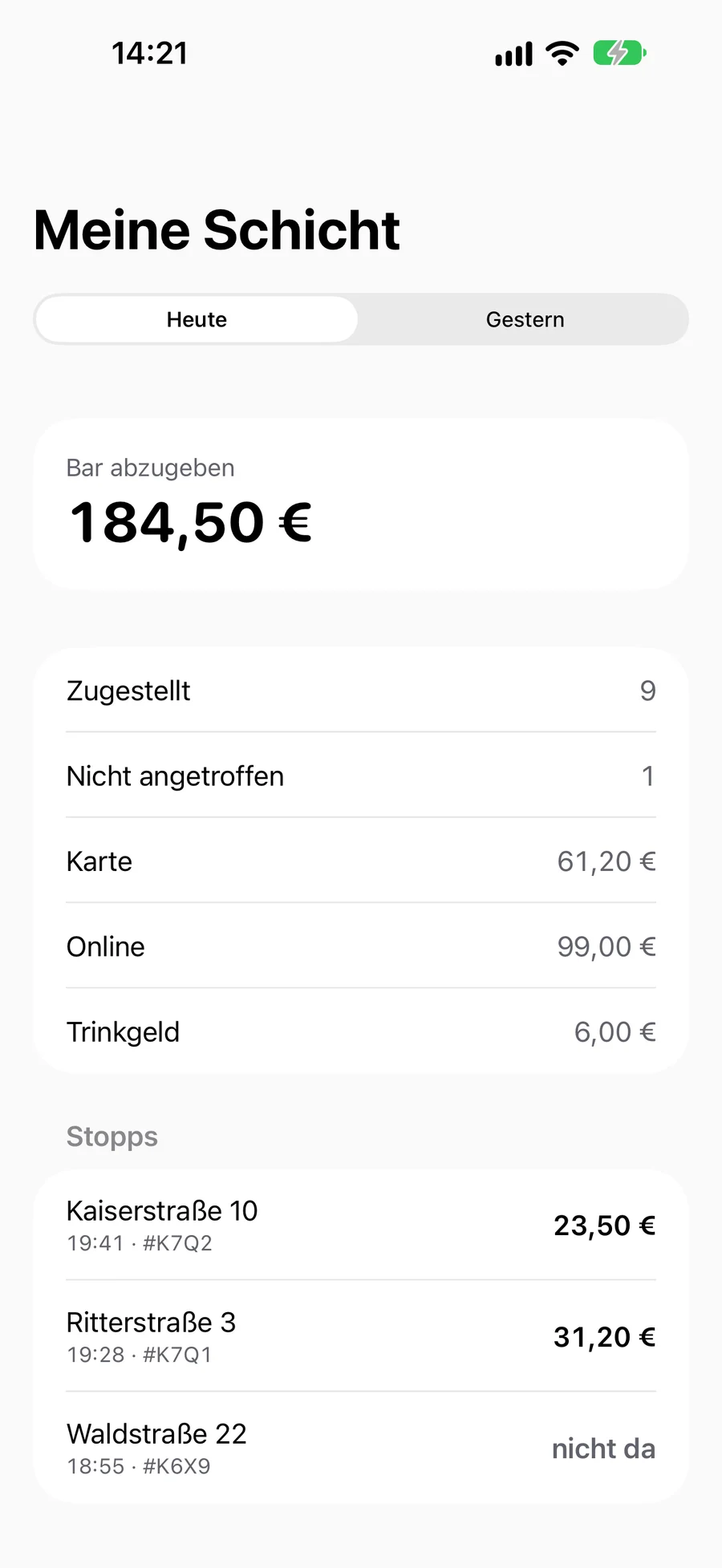
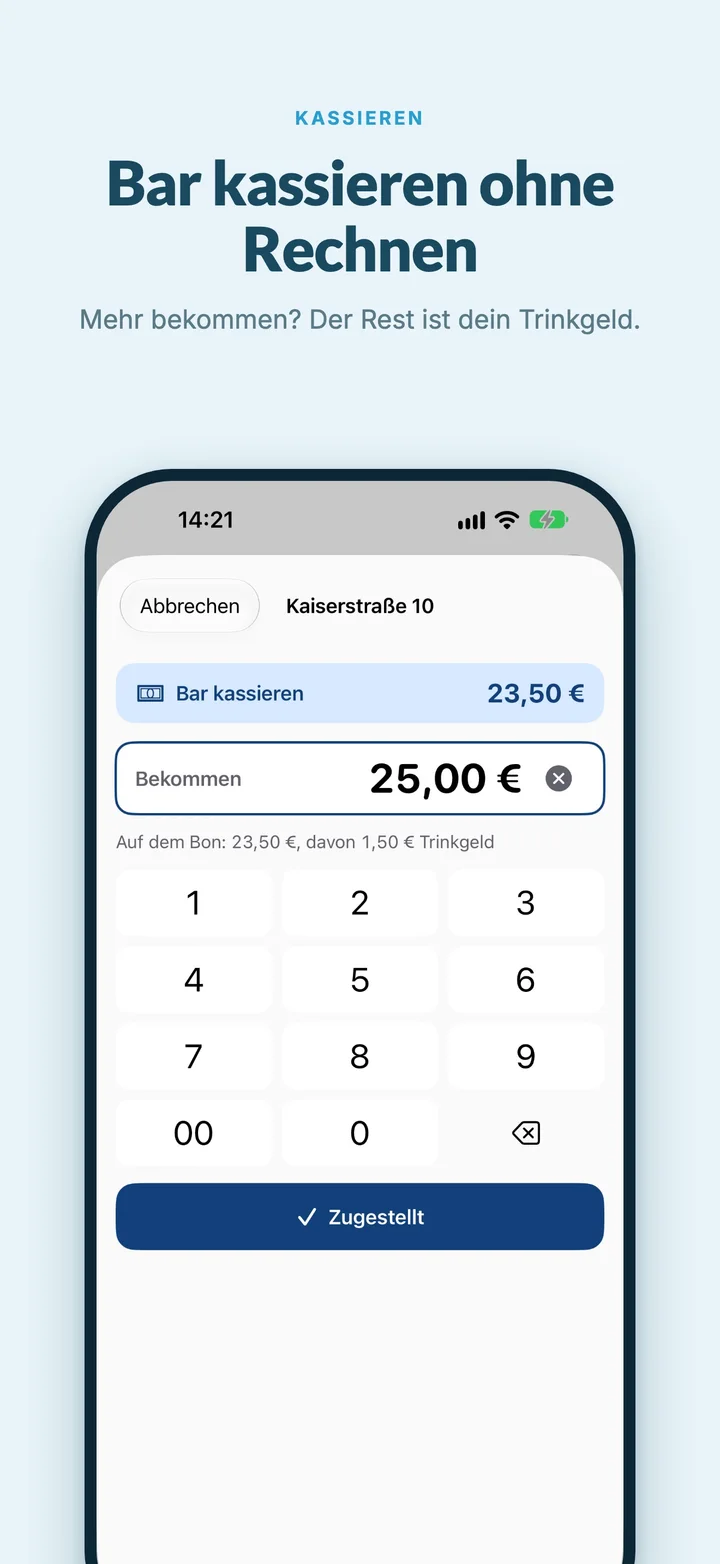
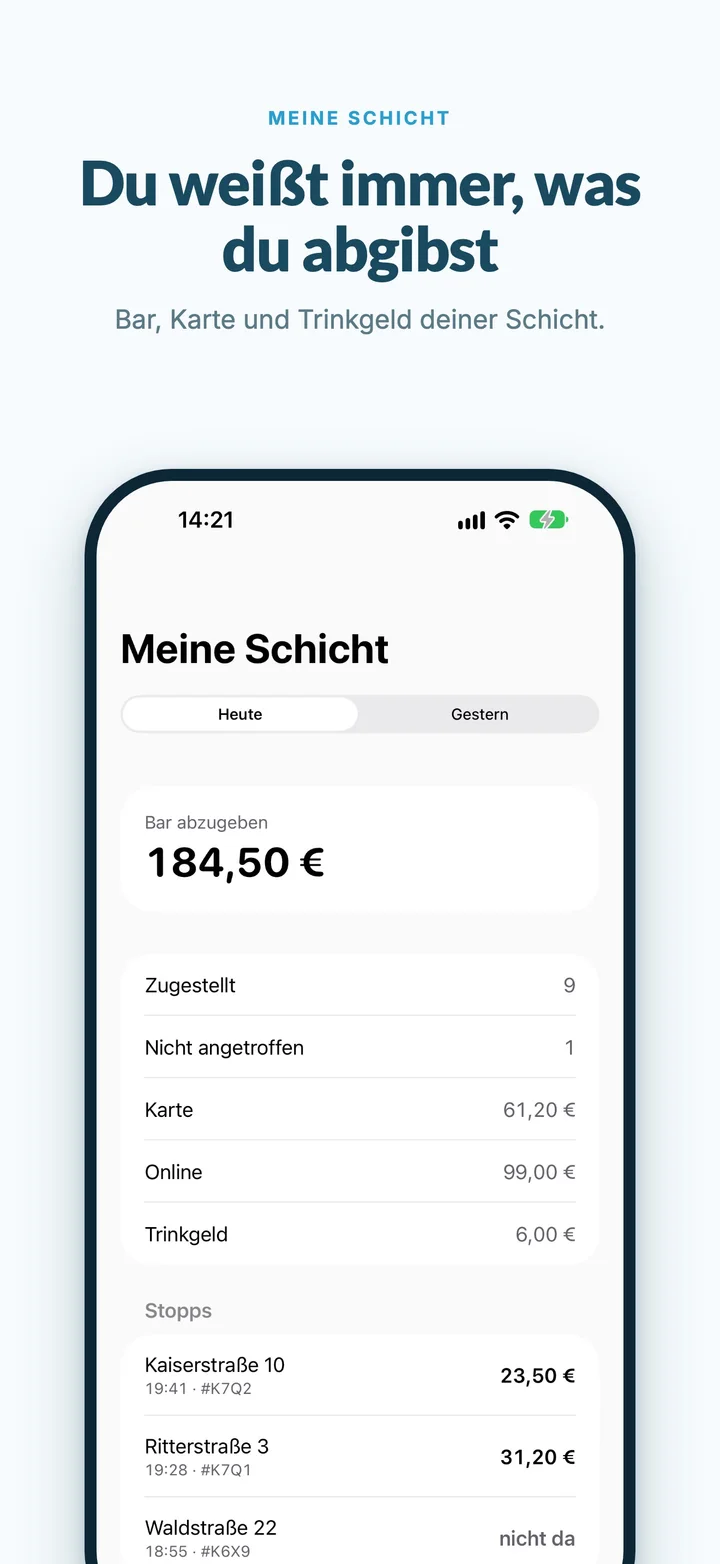
At the end of the day the app shows how much cash to hand over. Below that card, online and tips, and every single delivery with time and amount. You see the same figures for every driver in the admin area and in the end-of-day report in the admin app.
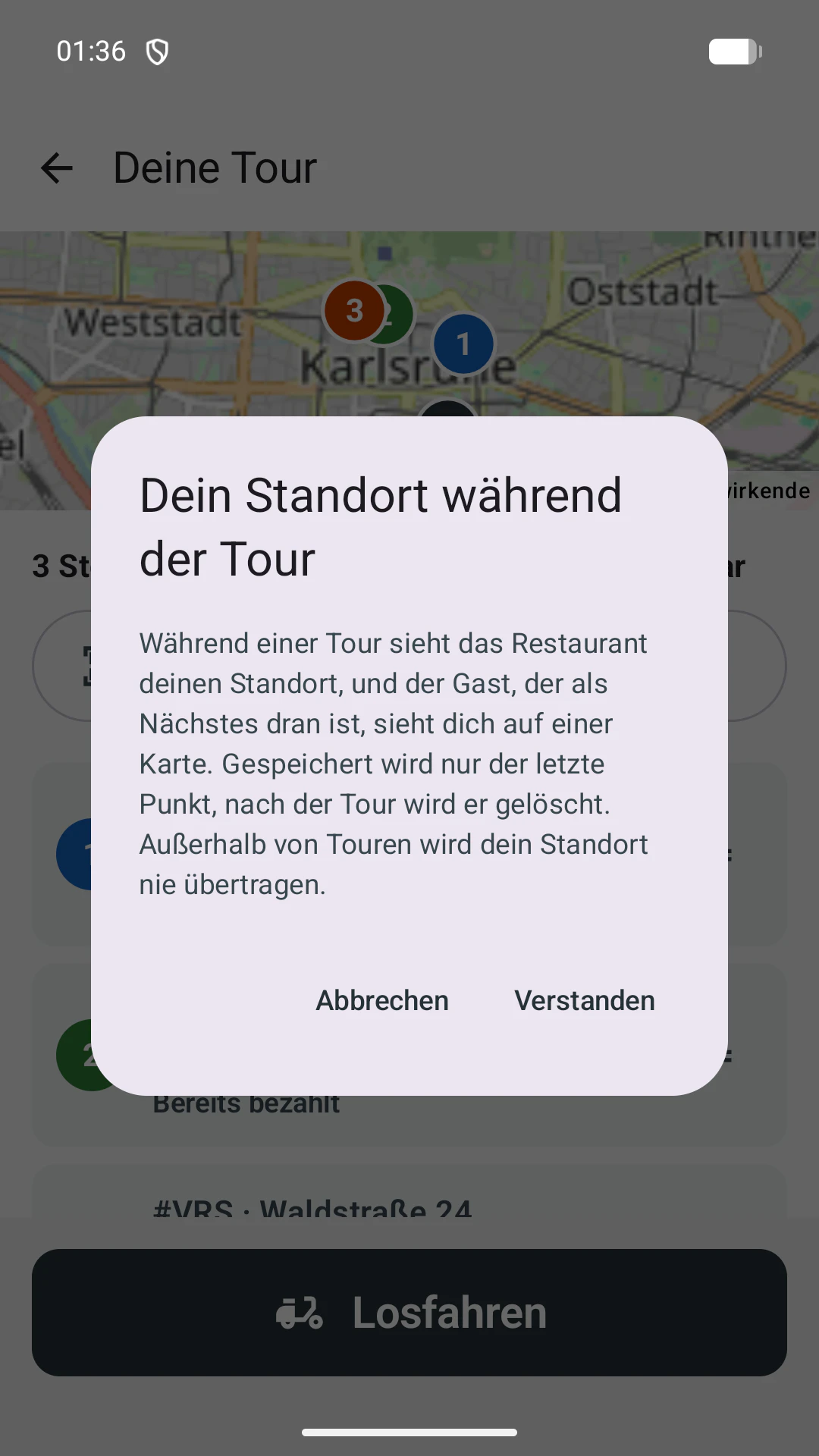
Your drivers should be able to trust the app. That’s why it tells them exactly what happens before the first run, and sticks to it.
The app is available for Android and iPhone. Start with eatbase now, and your drivers are on board from day one.
Your drivers download it for free: for Android on Google Play, for iPhone in the App Store. On the Pro plan you can use it right away.
It is included in the Pro plan at no extra cost: Pro costs 129 € a month for online orders (149 € together with reservations), plus VAT, with no commission on your orders. The app itself is free in the App Store and on Google Play, with no fee per driver or per delivery. You don’t need any extra devices: your drivers use their own phone, Android or iPhone, or a work phone.
Yes. The kitchen display suggests which ready or nearly ready orders a free driver should take together, with limits for detours and delays. eatbase calculates the order of stops on real roads, and for up to eight stops every possible order is checked. You choose whether the run should be as punctual as possible, as fast as possible to the guest or as short as possible. If several drivers are free, eatbase shares out the orders.
Yes. The app is available for Android phones from Android 8 and for iPhones from iOS 17. It doesn’t run on the iPad.
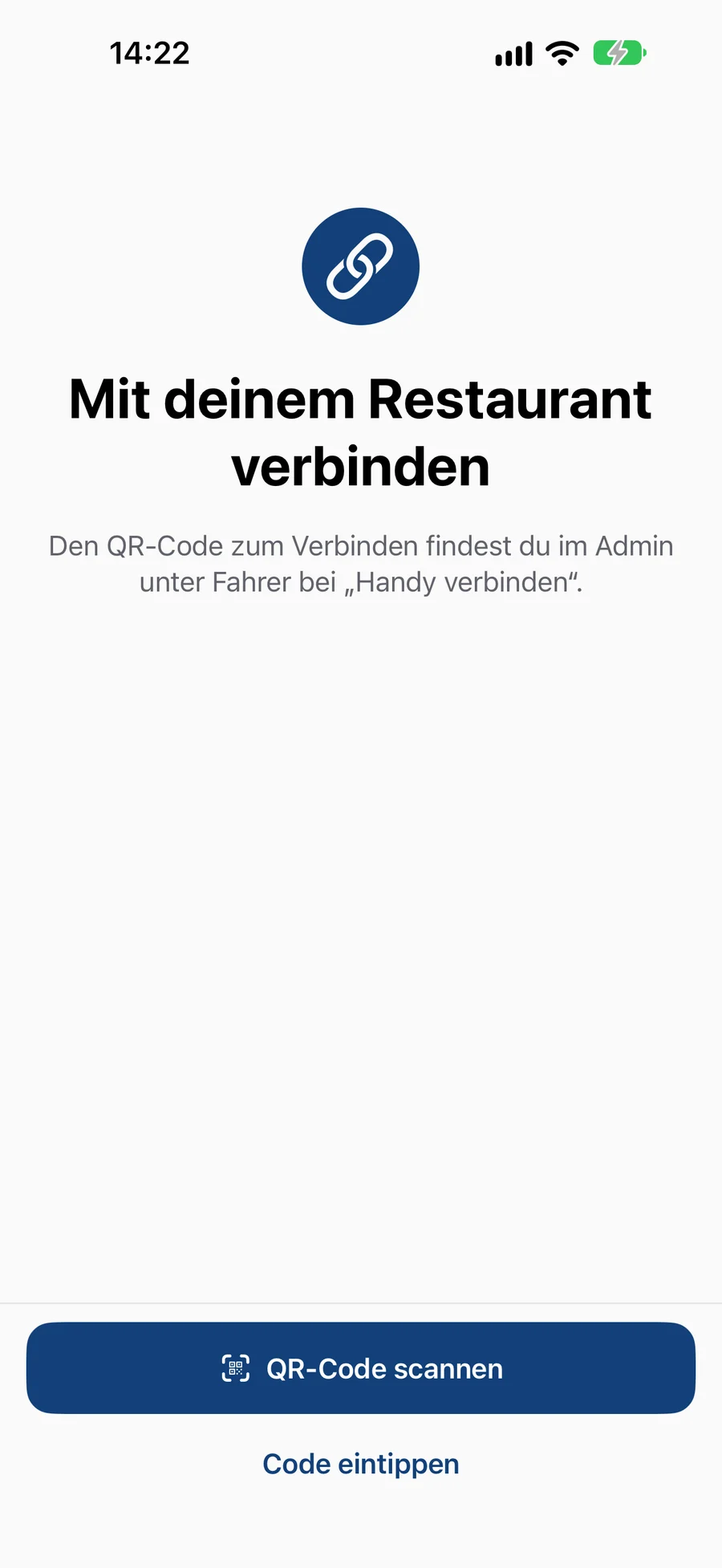
No. You add the driver in the admin area and tap “Connect phone”. The driver scans the QR code, done. If they get a new phone, they connect it the same way, and the old one is then signed out automatically.
The navigation they already know: Google Maps or Waze, and on the iPhone also Apple Maps. The driver app starts it for every stop with the right address. On the iPhone, the next stop and the amount appear on the lock screen and in the Dynamic Island, and that’s also where the driver taps “Delivered”. On Android there is a small bubble over the navigation for this.
Yes. The driver scans orders from eatbase via the QR code on the receipt. Orders from elsewhere are added by entering the address or by a photo of the receipt, and the app reads the address and amount by itself. You decide whether drivers are allowed to do this.
On their order status page they see that their food is on the way and how many stops are still ahead of them. When they are next, they see the driver on a map and an arrival time that keeps updating. They never see other addresses or the driver’s name.
No. The location is only shared during an active run, that is between “Set off” and the end of the run. Only the latest point is stored, and it is deleted after the run. No movement profile is created. The app contains no ads and no analytics services.
They simply keep driving. The app saves ticked-off stops and amounts on the phone, even across a restart. As soon as there is signal again, it sends everything to the restaurant in the right order.
What we have learned in many years with delivery services, for you to read.
Your own ordering page, kitchen display, receipt printer and online payment. The driver app gets the orders straight from there.
Start with eatbase now. The driver app is included in the Pro plan, and your drivers download it from the App Store or Google Play.
We use cookies to analyse how this website is used and to improve what we offer.
You can withdraw your consent at any time via “Cookie settings” in the footer. Privacy policyCookie policy