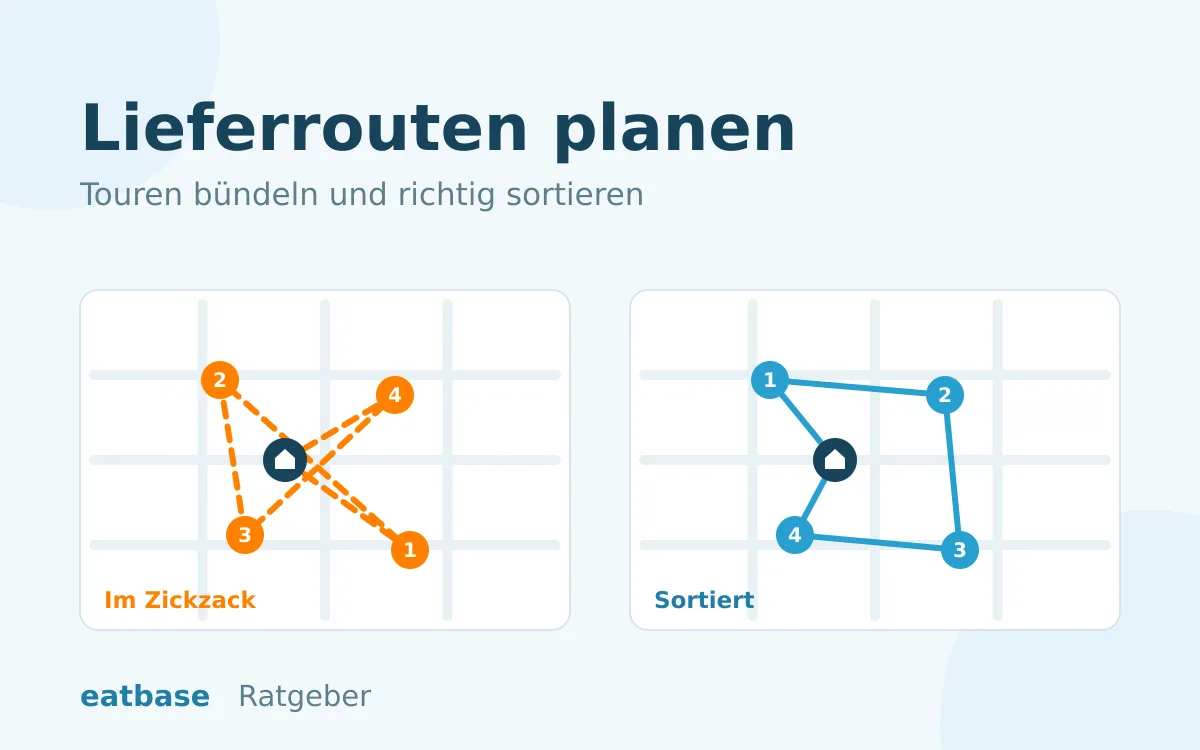
Updated: November 2026. Friday evening, 19:10. Three deliveries are ready, one driver is there. Does he take all three at once? And if so, in what order? In most restaurants the driver decides on gut feeling, often with three slips of paper in his hand and Google Maps on his phone. That works as long as he knows the area and it isn’t too busy.
For many years we have supported restaurants with ordering systems and delivery, first with GloriaFood, today with eatbase. Hardly any topic leaves as much money on the road as route planning. In this article we show what bundling brings, where its limits are and which rules to use when putting trips together and ordering the stops.
What a trip costs, and what bundling saves
We use the same values as our delivery fee calculator: 17 € hourly wage including extra costs, a car at 0,30 € per kilometre, 25 km/h average speed in town and 5 minutes at each door. Three guests each live around 3 km from the restaurant and about 1 km from each other.
| Trip | Time and distance | Cost per order |
|---|---|---|
| 1 order | 19 min, 6 km | 7,30 € |
| 2 orders | 27 min, 7 km | 4,85 € |
| 3 orders | 34 min, 8 km | 4,03 € |
With three orders in one trip, each delivery costs around 45 % less than on its own. The reason is simple: the way to and from the delivery area only happens once, and in between there are only short distances from door to door.
The difference is even clearer in time. If a single driver delivers the three orders one after another, he is on the road for around 58 minutes. As one trip, it is 34 minutes. In the almost half an hour he saves, he can do the next trip.
How the cost per delivery affects the delivery fee and minimum order value is explained in our article How to set the right minimum order value and delivery fee. If you also deliver through a platform, you will find the comparison in Lieferando fees.
The downside: the last guest waits longer
Bundling has a price, and the guest at the end of the trip pays it. In the example, the first guest is reached after a good 7 minutes of driving, the second after almost 15 and the third after 22 minutes.
That is not automatically bad. If there is only one driver, the third guest actually waits longer without bundling: the driver first has to go there and back twice before he can set off. It gets bad when a guest on the other side of town is taken along and everyone else has to accept a detour for it. Or when an order that is already running late ends up at the very end of the trip.
So good bundling does not mean “take as many as possible”, but “take them along as long as it doesn’t hurt anyone”.
Rule 1: Bundle, but with clear limits
Two limits have proven useful for deciding whether another order can join the trip:
- Detour per extra order. How many minutes longer does the extra order make the trip? About 8 minutes is a good starting value. If the address is in a different direction, it’s out.
- Delay of the most urgent order. How much later will the order that is due first arrive? Taking another order along should not cost more than about 5 minutes.
The order for putting a trip together: start with the order whose promised delivery time is earliest. Then add the order with the smallest detour each time, until one of the two limits is reached or the bag is full.
Rule 2: How many stops fit in one trip
The upper limit is usually set not by the road, but by the insulated bag. Three to four orders is a good guideline for a driver with a car, fewer with a bike or scooter. The more stops, the longer the last guest waits and the greater the risk of mixing up bags.
Is it worth waiting for an order that will be ready in three minutes? Often yes. If it is on the way, three minutes of waiting cost less than a separate trip there and back. If it is in the other direction or takes longer than a few minutes, the driver is better off leaving.
Rule 3: The right order of stops
Once the trip is set, the second question comes up: in what order does the driver go? There isn’t one right answer, but three, depending on what matters to you:
- On time: as little delay as possible compared with the time you promised the guest. This suits most restaurants.
- Fastest to the guest: on average, the food arrives earliest. Good if you don’t promise fixed times.
- Short distance: the fewest kilometres. Worth it with a bike or when fuel costs are high.
An example of why this makes a difference: guest A lives 1 km away and only ordered ten minutes ago, guest B lives 4 km away and has already been waiting 40 minutes. The shortest route goes to A first. It is more punctual to go to B first, because A still has time to spare.
And there is one more thing: the trip back. A driver who ends the trip 6 km from the restaurant is missing for the next trip. A good order of stops therefore ends as close to the restaurant as possible.
Why you shouldn’t work this out in your head
With two stops, the order is quickly decided. After that it gets confusing, because the number of possible orders grows very fast:
| Stops | Possible orders |
|---|---|
| 3 | 6 |
| 4 | 24 |
| 6 | 720 |
| 8 | 40.320 |
An experienced driver usually finds a good order for three or four stops. What he can’t keep track of: what time you promised each guest, how long the way back is and whether a colleague is heading in the same direction right now.
Several drivers: split up instead of one taking everything
If two drivers are free and four orders are ready, it is tempting to give the first driver all four. It is usually better to split the orders by direction: each driver takes the two that lie together on his way. Both are back sooner, and no guest waits at the end of a long trip.
For that, though, someone has to keep track of which driver is free, who is coming back when and which orders will be ready soon. At peak times, that is often nobody in the kitchen.
What restaurants use to plan their trips today
- Paper slips and local knowledge: fast and no setup. What’s missing is an overview of promised times and drivers, and a new driver doesn’t know the area yet.
- Google Maps: good navigation with stops along the way. What’s missing is sorting, the order data and taking payment.
- General route planners: sort many addresses at once. What’s missing is the connection to your orders.
- Driver app for the ordering system: trip, order of stops, navigation and cash-up in one place, with orders coming straight from the system.
Google Maps can handle up to nine stops including the final destination, according to its help pages. You set the order yourself by moving the destinations around. The help pages do not describe automatic sorting. On top of that, you have to type in every address, with all the typos that come with it.
General route planners are built for parcel services and field staff: 50 addresses come in in the morning, and at the end there is a route. A restaurant has a different problem. Orders come in all the time, each one has a promised time, and in ten minutes everything looks different again.
That is why, from one or two regular drivers, a driver app that is directly connected to your orders pays off.
How the eatbase driver app does it
We built the driver app “Eatbase Fahrer” for exactly this kind of daily work. It does everything described in this article, without anyone in the kitchen having to do the maths:
- The trip almost puts itself together. On the kitchen display, you tap “Deliver” for a free driver. eatbase suggests which ready or almost ready deliveries he should take: it starts with the most urgent order and only adds more as long as detour and delay stay within your limits. The default values are exactly those from rule 1, and you can change them at any time. If several drivers are free, eatbase splits up the orders. One tap, and the trip is on the driver’s phone.
- Or the driver simply scans the receipts. Every bag has a receipt with a QR code. The driver scans it, and the order is in his trip, with no typing. Orders by phone or from delivery platforms are added by entering the address or taking a photo of the receipt.
- The best order of stops, on real roads. You choose once whether trips should be on time, fastest to the guest or the shortest distance. For up to eight stops, eatbase calculates every possible order and takes the best one, with the trip back if you want. Drivers who know their area can still adjust the order, if you allow it.
- Navigation with one tap. The app opens Google Maps or Waze, and on iPhone also Apple Maps, with the right address. On iPhone, the street, arrival time and amount appear on the lock screen and in the Dynamic Island, and on Android in a small bubble above the navigation.
- Taking payment without doing sums. The amount is shown in large numbers on the phone. Type in the amount received, tap “Delivered”, and navigation to the next stop starts straight away. At the end of the shift, it shows how much cash the driver hands over.
- Your guest knows when the food is coming. On the order status page, they can see how many stops are ahead of them. When they are next, they see the driver on the map and an arrival time that keeps updating. That saves you the “Where is my food?” calls.
- You see when your drivers will be back. The kitchen display shows who is on duty, who is on the road and when they will be back. So you know whether the next order is waiting for a driver or whether you can plan it in right now.
Your drivers’ privacy is protected: the location is only sent during an active trip, only the last point is stored, and it is deleted after the trip. No movement profile is created.
Plan trips without anyone doing the maths
The driver app is available for Android and iPhone, free for your drivers and included in the Pro plan at no extra cost. Your drivers use their own phones and connect with a QR code, with no account and no password.
Frequently asked questions
From how many deliveries is route planning worth it? As soon as two deliveries are regularly ready at the same time. In our example, just two orders in one trip lower the cost per delivery from 7,30 € to 4,85 €.
How many orders should a driver take at once? Three to four is a good guideline, depending on the insulated bag and the vehicle. The limits matter more than the number: each extra order should only cost a few minutes of detour and hardly delay the most urgent order.
Can Google Maps optimise the order of stops? Google Maps can add up to nine stops including the destination to a route. According to Google’s help pages, you set the order yourself, and the help pages do not describe automatic sorting.
Which is better: shortest route or most punctual order? For most restaurants, the most punctual. The shortest route saves a few hundred metres, but it can push a guest who has been waiting a long time to the end of the trip.
Do I need expensive hardware for this? No. Your drivers use their own phones, Android or iPhone. For the suggestions in the kitchen, the kitchen display you already use for orders is enough.
Conclusion
Bundling trips saves money and time: in our example, the cost per delivery drops by around 45 % with three orders per trip, and the driver is back almost half an hour sooner. So that no guest pays for it, bundling needs clear limits for detour and delay. The order of stops is best based on the promised times, not just on distance.
Paper slips and Google Maps get you so far. From one or two regular drivers, a driver app connected to your orders does these calculations for you, every evening and at every peak time.
Note: The calculations use simplified average values and are not a substitute for business advice. Information about Google Maps is based on Google’s public help pages, retrieved on 17 November 2026. Only the information from each provider is binding.